
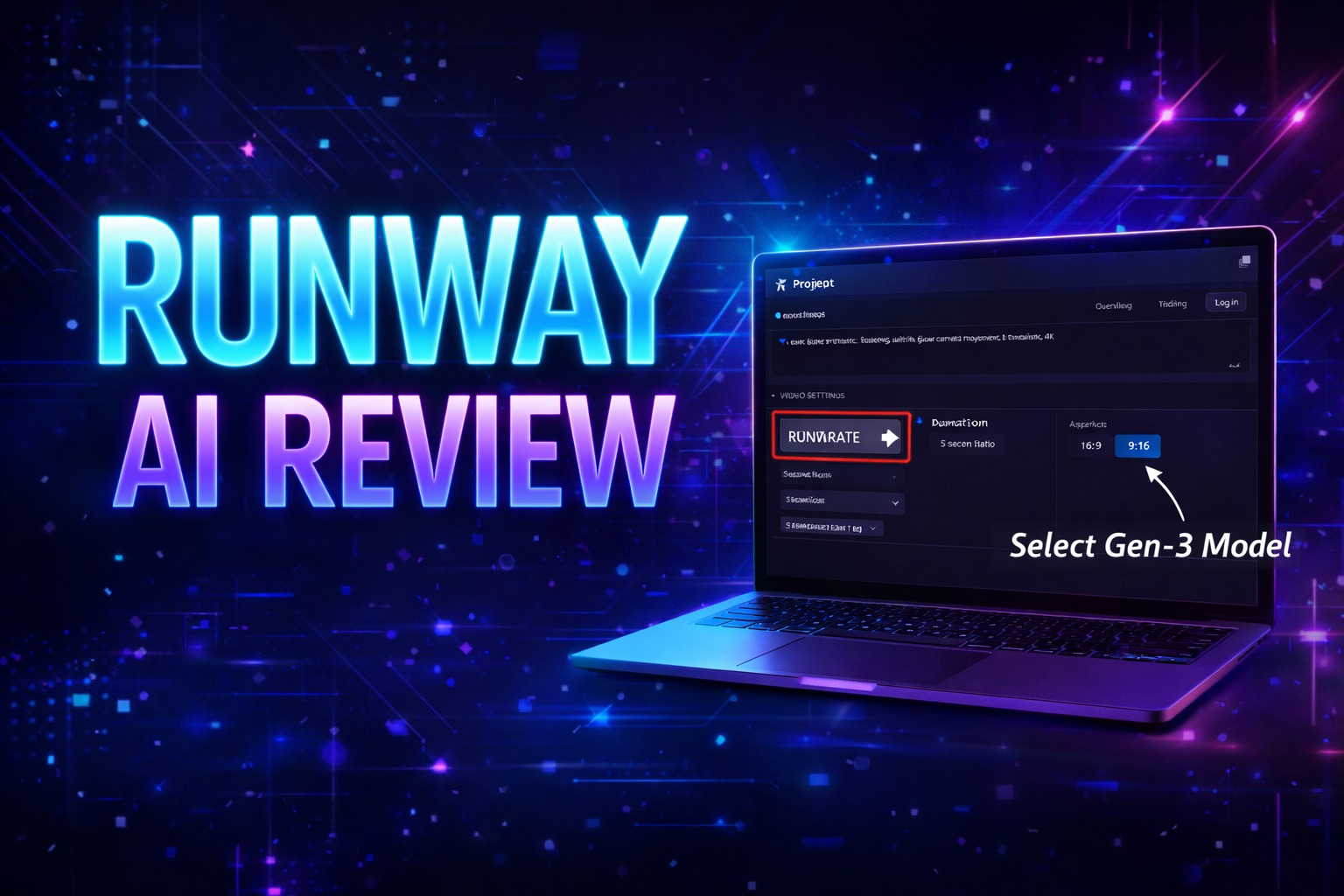
If you want to create AI videos, remove backgrounds, generate cinematic clips, or even build faceless YouTube content — then Runway AI can be a game changer.
In this detailed tutorial-style review, I will explain:
- What Runway AI is
- Key features
- Step-by-step how to use it
- How to make money with it
- Beginner tips
- Common mistakes
Let’s start.
What is Runway AI?
Runway is an AI-powered video creation platform.
It allows you to:
- Generate videos from text
- Remove backgrounds automatically
- Create cinematic AI clips
- Edit videos using AI tools
- Turn images into motion videos
It is widely used by:
- YouTube automation creators
- Freelancers
- Instagram reel creators
- Short-form content creators
- AI video agencies
Why Runway AI is Trending in 2026
Runway became popular because of its Gen-2 & Gen-3 text-to-video models.
You can simply write:
“A futuristic city at night with flying cars”
And it will generate a cinematic video.
This makes it perfect for:
- Faceless YouTube channels
- AI storytelling channels
- Short-form viral videos
- Client projects
Key Features of Runway AI
1️⃣ Text-to-Video Generation
Generate videos from simple prompts.
2️⃣ Image-to-Video
Upload an image → turn it into animated video.
3️⃣ Background Removal
Remove video background in one click (no green screen).
4️⃣ AI Video Editing Tools
- Object removal
- Motion tracking
- Style transfer
- Scene expansion
5️⃣ Templates for Social Media
Quick reels and shorts creation.
Step-by-Step: How to Use Runway AI
Now I will explain like a YouTube tutorial.
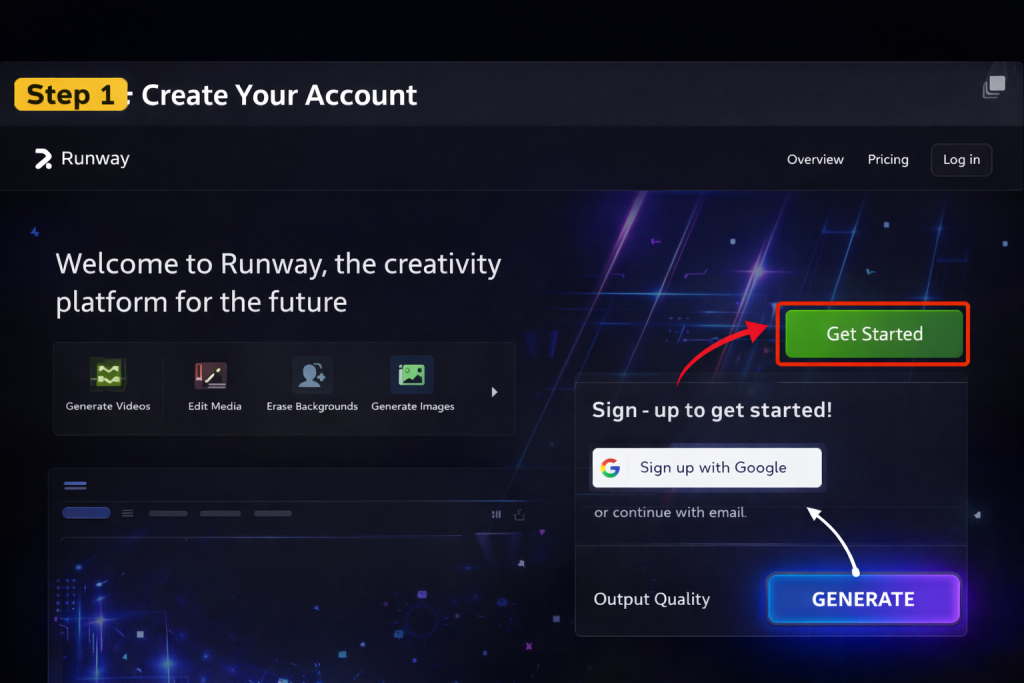
Step 1: Create Your Account
- Go to Runway website
- Click “Get Started”
- Sign up with Google
- Choose free plan (for testing)
Why this matters:
You need access to dashboard before creating projects.
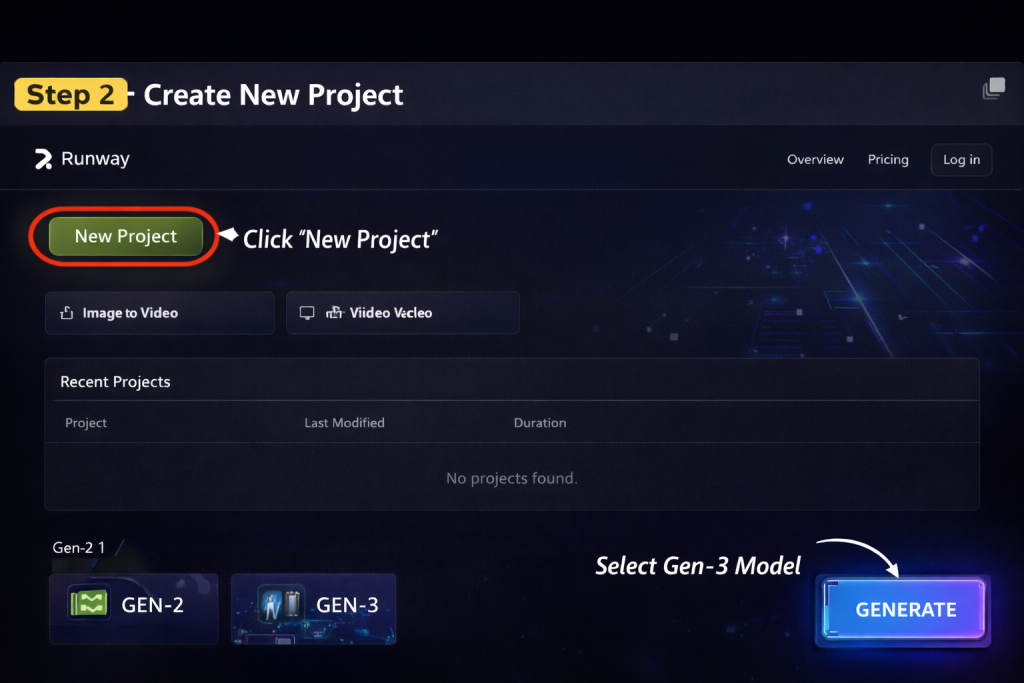
Step 2: Create New Project
- Click “New Project”
- Select “Gen-2” or “Gen-3”
- Choose Text-to-Video
Why this matters:
This is where you generate your AI video.
Step 3: Write Your Prompt
Example prompt:
“A dark cinematic forest with fog, dramatic lighting, slow camera movement, ultra realistic, 4K”
Tips:
- Be specific
- Add lighting style
- Mention camera movement
- Add quality keywords
Why this matters:
Better prompt = better video quality.
Learning how AI tools work will help you write better prompts and get more accurate results from tools like Gemini.
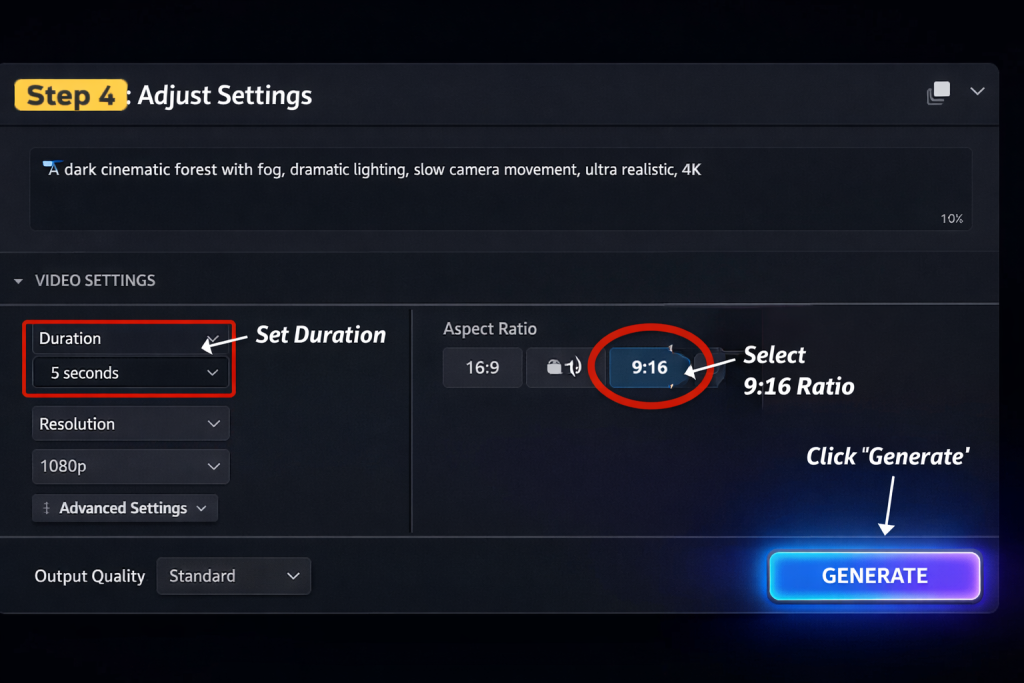
Step 4: Adjust Settings
- Choose video duration
- Select aspect ratio (9:16 for Shorts)
- Choose quality
- Click Generate
Step 5: Export & Download
- Preview video
- Click Export
- Download MP4
Now your AI video is ready.
How to Make Money with Runway AI
best AI tools to make money online
This is the most important part.
1️⃣ YouTube Automation
Create:
- AI storytelling channel
- Motivational shorts
- Horror stories
- Sci-fi cinematic clips
Monetization:
- AdSense
- Affiliate marketing
- Sponsorships
Realistic Income:
$300 – $3000 per month (depends on consistency)
2️⃣ Freelancing
Offer services:
- AI video ads
- Product promo videos
- Social media reels
- Cinematic intros
Platforms:
- Fiverr
- Upwork
- Direct clients
Charge:
$20 – $150 per video (beginner level)
3️⃣ Instagram & TikTok Growth
Create viral AI reels.
Monetize with:
- Brand deals
- Theme pages
- Affiliate products
4️⃣ Sell AI Video Service
Start small AI video agency.
Scale by:
- Hiring editors
- Creating packages
- Offering monthly retainers
Beginner Strategy
If you’re starting:
- Use free plan
- Create 10 sample videos
- Post daily shorts
- Learn prompt writing
- Improve consistency
Scaling Strategy
- Upgrade to paid plan
- Batch create content
- Repurpose videos
- Start 2–3 faceless channels
- Build team
Common Mistakes to Avoid
- Writing short weak prompts
- Not selecting correct aspect ratio
- Ignoring lighting & camera details
- Posting inconsistent content
- Expecting instant results
- Not targeting niche audience
- Uploading without SEO titles
Pros & Cons
Pros
✔ Easy to use
✔ High-quality output
✔ Perfect for faceless content
✔ Fast rendering
Cons
✘ Limited free credits
✘ Requires strong prompts
✘ Paid plans can be expensive
Pricing Overview
Runway offers:
- Free plan (limited credits)
- Standard paid plans (monthly subscription)
- Advanced plans for professionals
For serious earning → paid plan recommended.
Final Verdict – Should You Use Runway AI?
If you want to:
- Start faceless YouTube
- Sell AI video services
- Build AI content agency
- Create viral shorts
Then yes — Runway AI is powerful.
But remember:
Consistency > Tool.
Take action.
Create your first AI video today.
If you want to learn more about AI tools and online earning, visit our homepage for step-by-step guides.